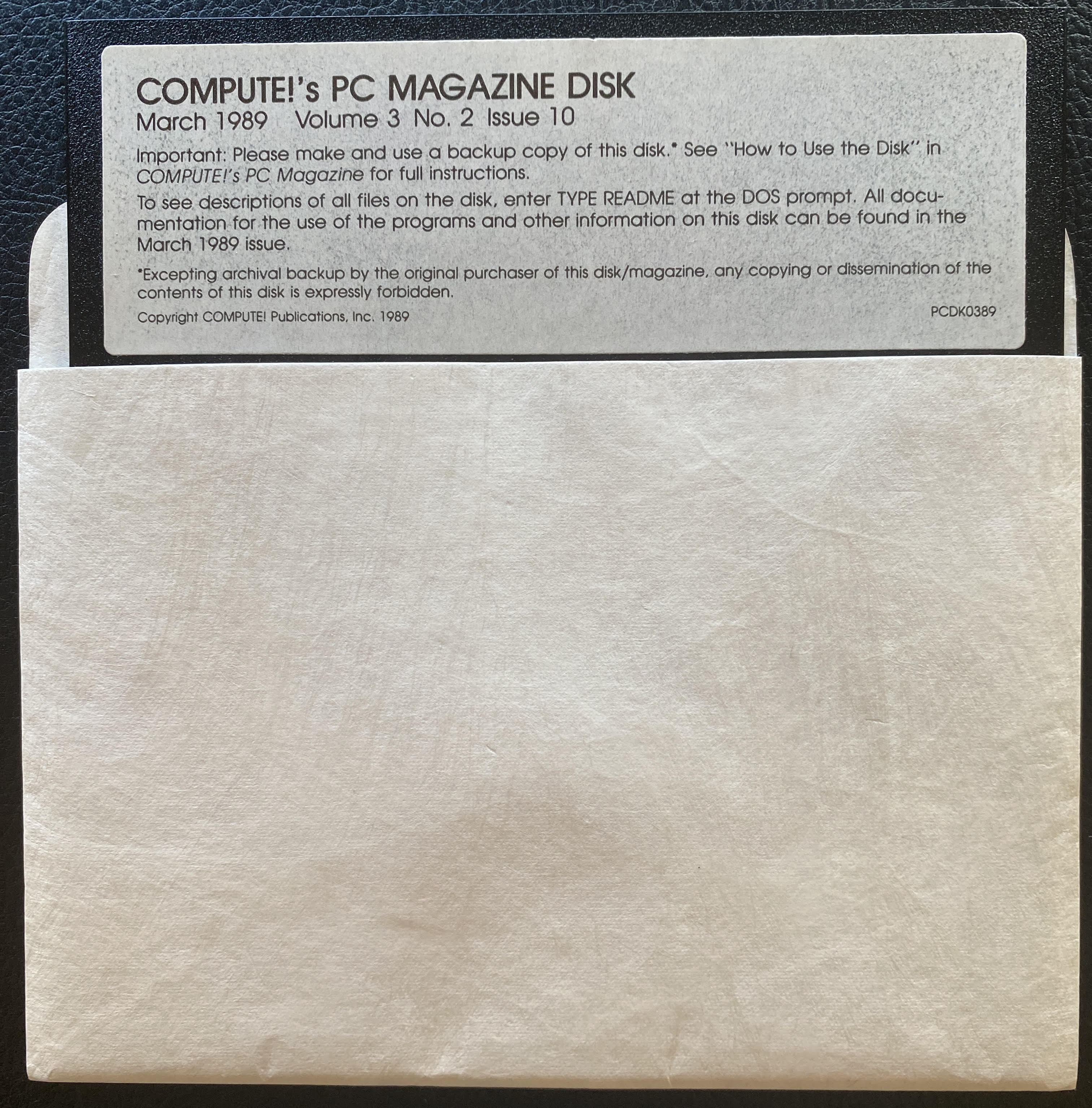
root@wopr:/home/netdrive/diaries# more Compute-PC-Magazine-Disk_March-1989_Volume-3_No.2_Issue-10.log
  DEVICE: GreaseWeazle 4.1
   DRIVE: TEAC FD-55GFR
   SUITE: FluxEngine (decoder.retries=250, drive.revolutions=1.2)
ARCHIVER: Lee Smallbone
ARCHIVED: 2026-04-20 09:10 (GMT/UTC)
NOTES:
Publication and disk called "Compute!" but ! knocked from the filename for NetDrive compatibility reasons.
100% media recovery.
Disk returned to original sleeve for archiving.
----------------------------------------------------------------------------------------------------------------
COMPUTE!'s PC Magazine
             March 1989,  Volume 3, No. 2, Issue 10
           Copyright 1989, COMPUTE! Publications, Inc.
                       All Rights Reserved
This file contains descriptions of every file on the magazine
disk. (In general, these descriptions repeat information from
the magazine articles.) As always, read "How to Use the Disk"
and the corresponding magazine articles for full instructions
before running any programs.
To print this file, enter the following command at the DOS
prompt:
COPY README PRN
One of the programs on the disk is stored as a self-extracting
archive.  When you enter the archive's name at the command-line
prompt, the files will automatically extract.  Do not attempt to
extract the files on a copy of the magazine disk--there may not
be enough disk space for the files.
To expand an archive and extract its files, just enter a
command of the form filename drive:\directory.  For example, to
install an archive called STARPLAY on drive C in the directory
\COMPUTE, give this command at the A> prompt: STARPLAY
C:\COMPUTE.  If you have a floppy-only system, you can install
the programs on another floppy disk with this command: STARPLAY
B:.
======================================================================
HDTEST.EXE
"Hard Disk Test" (A "Best of the Boards" program)
This is a self-extracting archive file.  To uncompress the file,
follow the instructions at the beginning of this file.  The
executable file (HDTEST.EXE) and the documentation file (HDTEST.DOC)
are in this archive file.  You can increase the access speed, change the
interleave, find the bad sectors, or perform a non-destructive reformat
of your hard disk with this flexible hard disk utility.  "Hard Disk
Test" runs on any IBM PC, XT, AT, or compatible with 180K of
available RAM and PS/2 models 50 ,60, and 80.  (All systems must have
ST506 or RLL interface drives.  This program does not work with PS/2
ESDI drives.)  "Hard Disk Test" works with color, composite, or
monochrome displays.  Run the program from a floppy disk, not the hard
disk you are testing.  Before running "Hard Disk Test," remove all TSR
programs from memory.  Please read the documentation file carefully
before using this program on your hard disk.
---------------------------------------------------------------------
HDTEST.DOC
"Hard Disk Test" (A "Best of the Boards" program)
This is the documentation file for "Hard Disk Test."  To read this
file, enter TYPE HDTEST.DOC at the DOS prompt after uncompressing the
HDTEST.EXE file.
=====================================================================
CRIB.COM
"Cribbage" (A "Best of the Boards" program)
If you're a card-playing addict, this easy-to-learn version of
Cribbage is for you.  It works on any IBM PC, XT, AT, or compatible
with any display.  You don't need a graphics card to run "Cribbage."
The file WASCO should be copied to the same disk as CRIB.COM.  To run
the program, type CRIB at the DOS prompt.  Read the CRIB.DOC file for
instructions on how to play the game.
---------------------------------------------------------------------
WASCO
"Cribbage" (A "Best of the Boards" program)
Copy this data file to the same disk as CRIB.COM.  If you enter 1-3
alphanumeric initials on the command line after CRIB, the data for your
Cribbage game is saved in this file.  Read the documentation file for more
details.
---------------------------------------------------------------------
CRIB.DOC
"Cribbage" (A "Best of the Boards" program)
This is the documentation file for "Cribbage."  To read this file,
enter TYPE CRIB.DOC at the DOS prompt.
=====================================================================
ERA.COM
"ERA" (A "Best of the Boards" program)
This is a delete-files program that prompts you before deleting
any files.  You can delete files on a group or individual basis. The
program runs on any IBM PC, XT, AT, or compatible.  For more information,
read the documentation file ERA.DOC.
---------------------------------------------------------------------
ERA.DOC
"ERA" (A "Best of the Boards" program)
This is the documentation file for "ERA."  To read this file, enter
TYPE ERA.DOC at the DOS prompt.
=====================================================================
FIXBEEP.COM
"Fixbeep" (A "Best of the Boards" program)
Is that annoying beep that comes from your PC getting to you?  You
can change the beep to a more pleasing tone with this short TSR
utility.  It works on any IBM PC, XT, AT or compatible.  It may
not work on some Tandys.  For more information, read the documentation
file FIXBEEP.DOC.
---------------------------------------------------------------------
FIXBEEP.DOC
"Fixbeep" (A "Best of the Boards" program)
This is the documentation file for "Fixbeep."  To read this file,
enter TYPE FIXBEEP.DOC at the DOS prompt.
---------------------------------------------------------------------
BEEP.BAT
"Fixbeep" (A "Best of the Boards" program)
This is a small batch file that demonstrates the beep sound made by
the IBM PC computer.
=====================================================================
COLORSET <DIR>
"ColorSet" (A "Best of the Boards" program)
This color-setting utility for CGA- and EGA-equipped computers is easy
to use.  It works on any IBM PC, XT, AT, or compatible with a CGA, EGA,
or VGA adapter and a color monitor.  The "ColorSet" files are stored in
the subdirectory COLORSET on the disk. To change to the subdirectory,
enter the command CD COLORSET at the A> prompt. For information on how
to use the program, see the documentation file COLORSET.DOC.
Note:  The ANSI.SYS driver should be installed in your CONFIG.SYS file
before you run any of the "ColorSet" programs.  To install the ANSI.SYS
driver, put the line DEVICE=ANSI.SYS in your CONFIG.SYS file.  You should
also include the pathname for ANSI.SYS if it is not in your root directory.
---------------------------------------------------------------------
COLOR.COM
"ColorSet" (A "Best of the Boards" program)
This is the executable file called by SETCOLOR.BAT (see below).
You can use COLOR.COM by itself to change colors if you wish. Type
COLOR foreground, background, 0 at the DOS prompt.
---------------------------------------------------------------------
SETCOLOR.BAT
"ColorSet" (A "Best of the Boards" program)
SETCOLOR.BAT is a batch file used to run COLOR.COM.  To run the batch
file, type SETCOLOR foreground background at the DOS prompt.  For more
information, read the documentation file COLORSET.DOC.
---------------------------------------------------------------------
SEECOLOR.BAT
"ColorSet" (A "Best of the Boards" program)
This batch file lets you see the foreground and background colors
used with SETCOLOR.BAT.  To run the batch file, type SEECOLOR at the
DOS prompt.  For more information, read the documentation file
COLORSET.DOC.
Note:  This batch file looks for a file called COLOR.ANS in your DOS
directory.  You should either copy COLOR.ANS to your DOS directory
or change DOS in the line TYPE C:\DOS\COLOR.ANS to the directory that
contains COLOR.ANS.
---------------------------------------------------------------------
COLOR.ANS
"ColorSet" (A "Best of the Boards" program)
This is the file that contains the foreground and background colors
for the "ColorSet" program and prints to the screen when you run
SEECOLOR.BAT.  Since SEECOLOR.BAT searches for this file, you should
either copy COLOR.ANS to your DOS directory or change DOS in the line
TYPE C:\DOS\COLOR.ANS to the directory that contains COLOR.ANS.
---------------------------------------------------------------------
COLORSET.DOC
"ColorSet" (A "Best of the Boards" program)
This is the documentation file for "ColorSet."  To read this file,
enter TYPE COLORSET.DOC at the DOS prompt while you are in the
COLORSET subdirectory.
======================================================================
AV.EXE
"Arcade Volleyball"
You saw it first in the Commodore 64 version in the June 1988 issue of
COMPUTE!'s Gazette.  Now you can enjoy bumping heads with the computer or a
friend in this PC version of "Arcade Volleyball."  The program runs on any
IBM PC, XT, AT, or compatible with at least 256K of memory and a CGA,
EGA, or VGA adapter.  It won't run on monochrome systems.  To run
the game, type AV at the DOS prompt.  For information on how to play
the game, read the accompanying magazine article.
-----------------------------------------------------------------------
AV.DAT
"Arcade Volleyball"
This data file should be copied to the same disk as AV.EXE.
=====================================================================
SPIN.EXE
"Spin 'n' Print"
Forget about trying to make your spreadsheet fit on regular 8 1/2 X
11-inch printer paper.  Now you can create a spreadsheet with as many
columns as you like and use "Spin 'n' Print" to print it.  This ASCII-
file printer turns your text sideways and prints it in the size you
specify.  Your file must be in pure ASCII format.  Most spreadsheet
programs and word processors offer the option of saving a file in ASCII
format.  Use this option, then print the ASCII file with "Spin 'n' Print."
The program works on any IBM PC, XT, AT, or compatible with at least 256K of
memory. A dot-matrix printer is required. For more information, read the
accompanying magazine article.
----------------------------------------------------------------------
SPIN.BAS
"Spin 'n' Print"
This is the source code file for "Spin 'n' Print."  SPIN.BAS is not an
executable file, and you do not need it to run SPIN.EXE.
======================================================================
README
The file you are reading now.
�